Mar 18, 2026
How Drivers Create and Publish a Route on Leet
Leet helps drivers save regular commutes as templates, set seats and price, and publish live trips when they are ready so passengers only see active routes.

Leet helps drivers who repeat the same commute by letting them create reusable commute templates and control how bookings work.
Step 1: Create a commute template
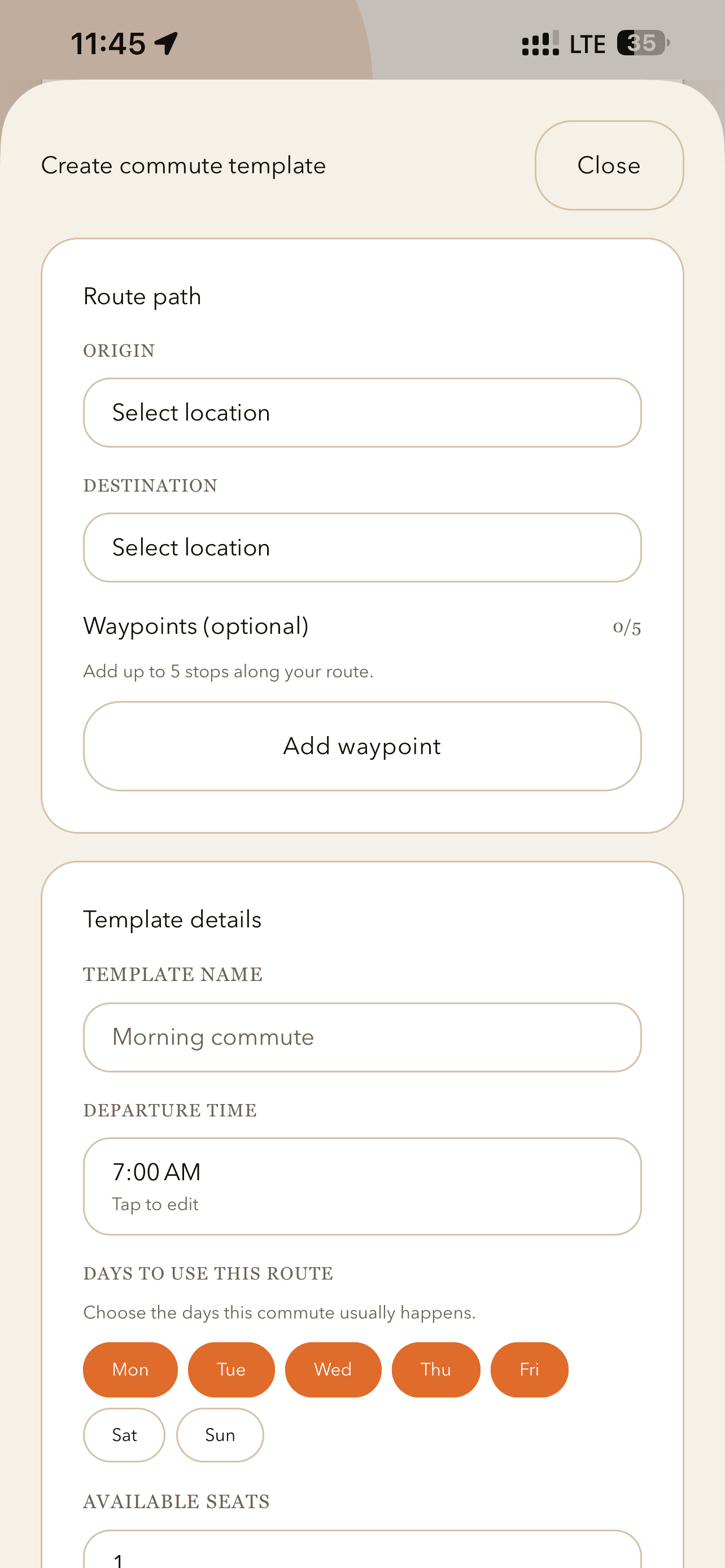
A commute template stores all the details of a route the driver expects to reuse often:
- Origin and destination
- Optional waypoints
- Template name and departure time
- Days of the week the route runs
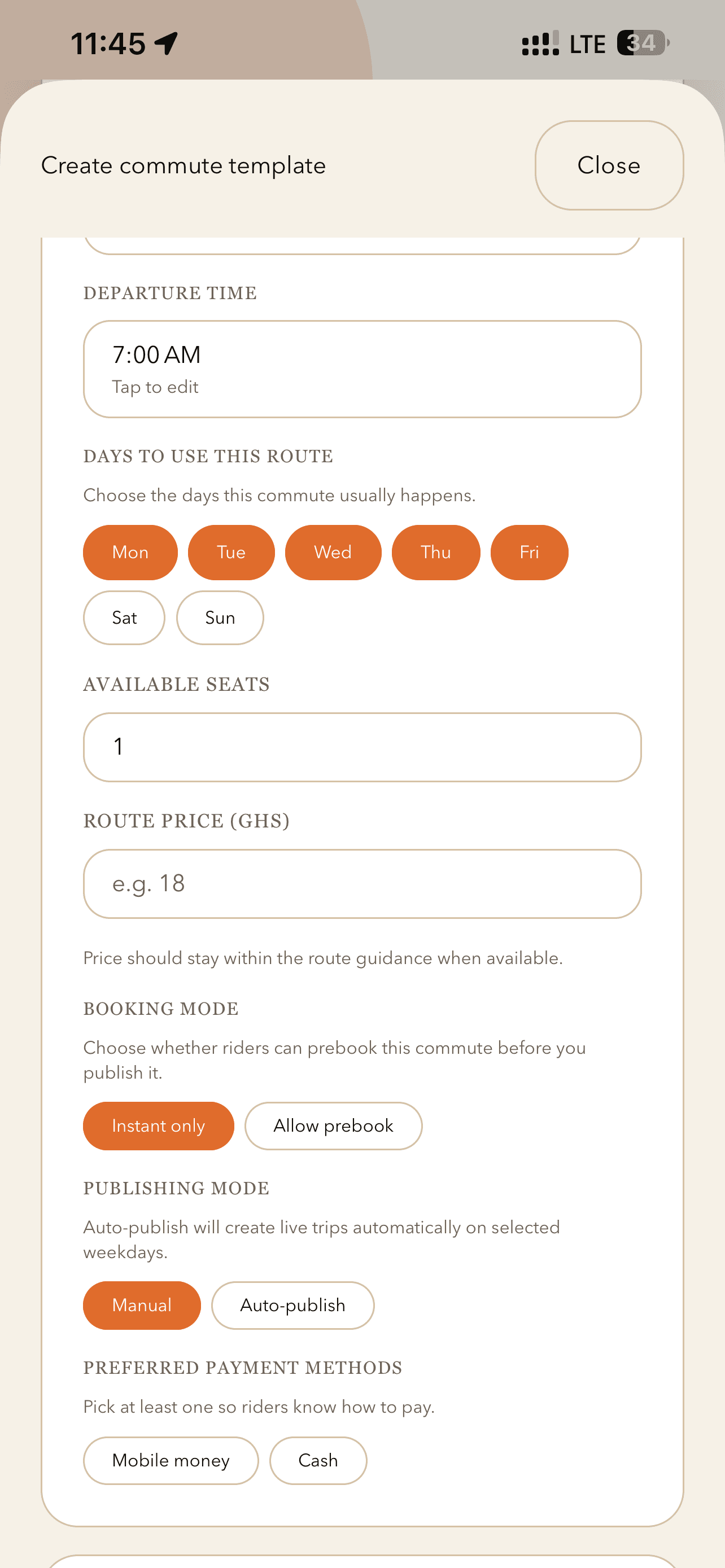
- Available seats and route price
- Preferred payment methods
This gives drivers a reusable setup for routes they already take frequently.
Step 2: Choose how bookings should work
When setting up the template, the driver chooses a booking mode:
- Instant only: Passengers can only book seats when the trip is live (published).
- Allow prebook: Passengers can reserve seats before the trip is published, if prebooking is enabled.
This lets drivers control when and how demand builds for their commute routes.
Step 3: Choose how publishing should work
Leet offers two ways to publish trips:
- Manual publish – the driver chooses exactly when a trip goes live.
- Auto-publish – Leet automatically creates live trips on selected weekdays.
Auto-publish is ideal for regular morning or evening commutes.
Step 4: Add a return trip if needed
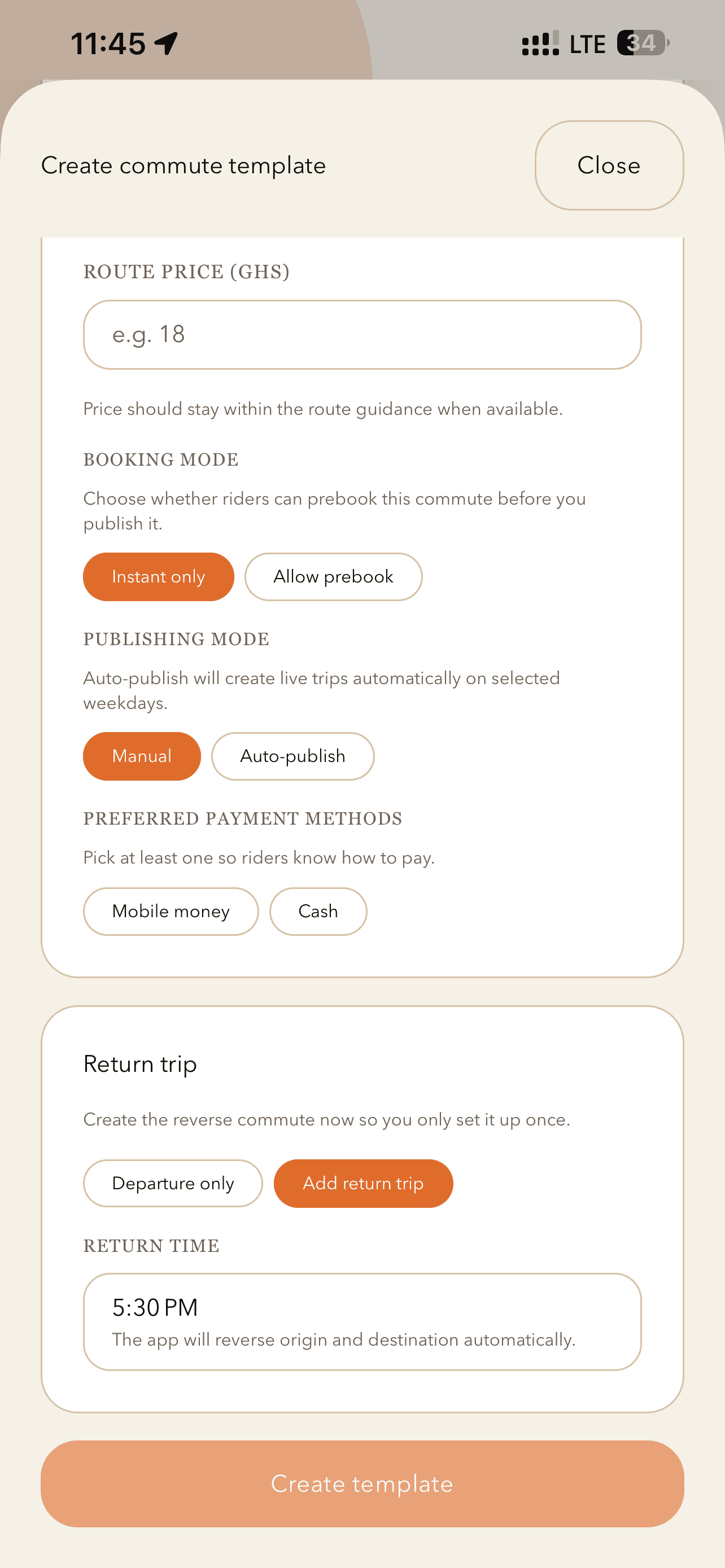
During setup, drivers can also create a return trip.
A single template flow can cover both:
- the outbound commute, and
- the reverse route later in the day.
This saves time and keeps repeated travel consistent.
Step 5: Publish for the day
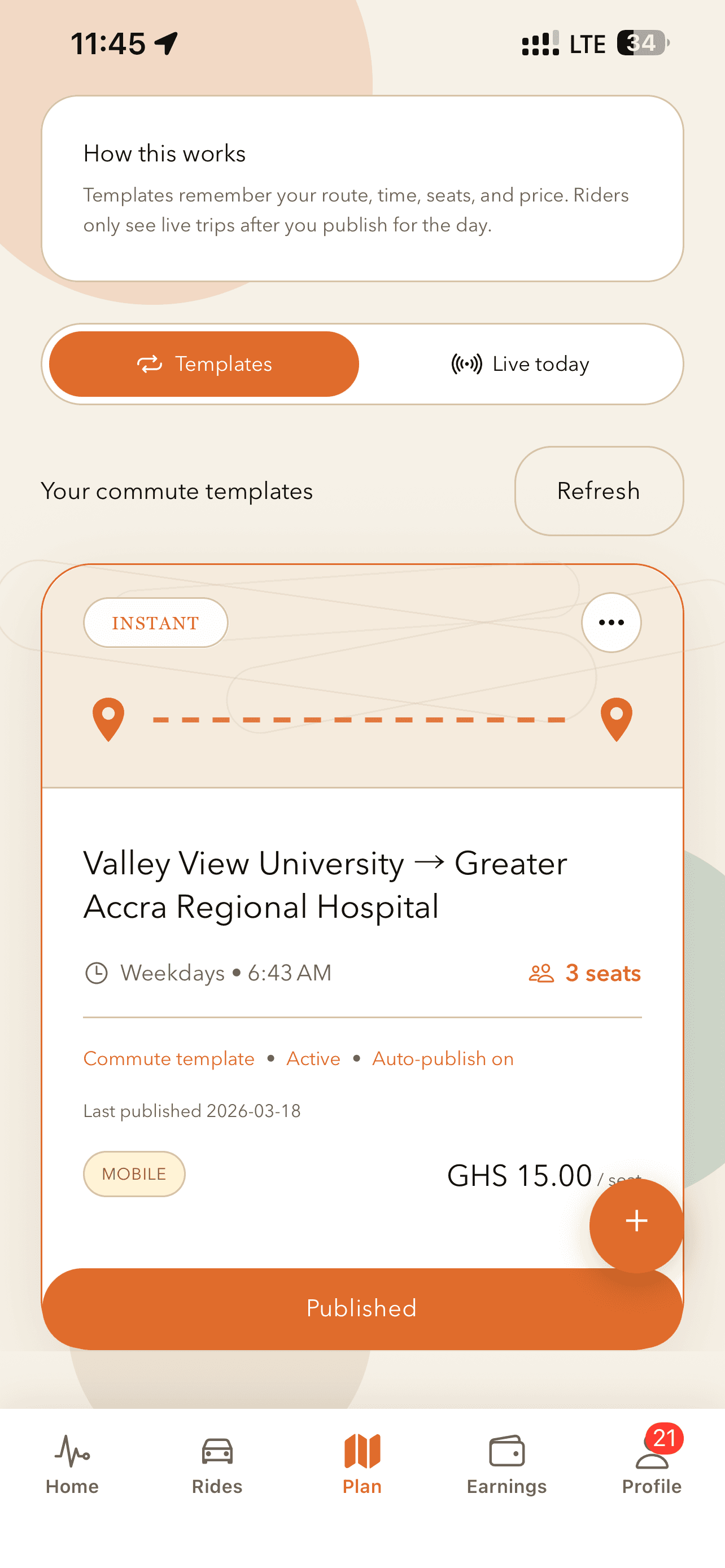
Once the template is ready, the driver publishes it.
- Passengers only see live trips after the driver publishes for that day.
- A saved template is not visible by default.
- Visibility comes from either manual publish or auto-publish.
This keeps the marketplace accurate, so passengers only browse trips that are actually active instead of old or uncertain plans.
Leet’s route-first approach makes daily commuting simpler and more predictable for both drivers and passengers.
Why this matters
For drivers, route-first means they can:
- Save time by reusing the same commute setup instead of rebuilding trips every day.
- Keep seat counts and pricing consistent and easy to manage.
- Prepare routes in advance and only publish when they’re actually ready to take passengers.
- Automate regular commuting patterns so daily setup becomes minimal.
Passengers benefit because they see:
- Clear, live options that reflect what drivers are actually offering.
- More predictable timing based on stable, reusable commute templates.
- Transparent fares tied to each route, so pricing is easier to understand.
A simpler way to share a daily commute
The in-app route flow is designed to be straightforward:
- Create a reusable commute template
Set up your usual route once—stops, timing, seats, and pricing.
- Choose booking and publishing options
Decide how passengers can book and when your route becomes visible.
- Add a return trip if needed
Mirror or adjust your route for the way back to cover your full commute.
- Publish for the day when you’re ready
Turn today’s commute “on” only when you’re actually planning to drive.
This keeps the driver workflow practical and efficient, while ensuring that what passengers see in the app is accurate, current, and easy to act on.
App Screens
Plan Flow Screenshots
These screens show the exact in-app flow for creating a route template and publishing it when the driver is ready.